Swiss German for time
From deadline to follow-up in one tap.
Every deadline.
Under control.
Zyt turns your Reminders into live countdowns and the easiest follow-up tool you'll ever use. Every task shows how much time is left, who it involves and what was said about it.


Free for 14 days. Then €5 a month or €49.99 a year. One subscription for iPhone, iPad and Mac. Works with the Reminders and Contacts you already have, and with the mail app of your choice: Apple Mail (on Mac), Gmail or Outlook.
Deadlines, people and follow-up. One app.
A deadline in a list is just a date, quietly waiting for you to panic. The people live in Contacts. What was said lives somewhere in 4,000 emails. Zyt puts it all in one place, and starts the clock.
-
Not “Friday”. 2 days, 4 hours.
Your Apple Reminders, as live countdowns. No import, no new system. Tick something off in Zyt and it’s done in Reminders, on Siri, on your Watch.
Two-way sync with Apple Reminders -
Who you need, one tap away.
Link the people behind a task. Call, message, WhatsApp or email them from it. Change a number and it lands in Contacts.
Two-way sync with Apple Contacts -
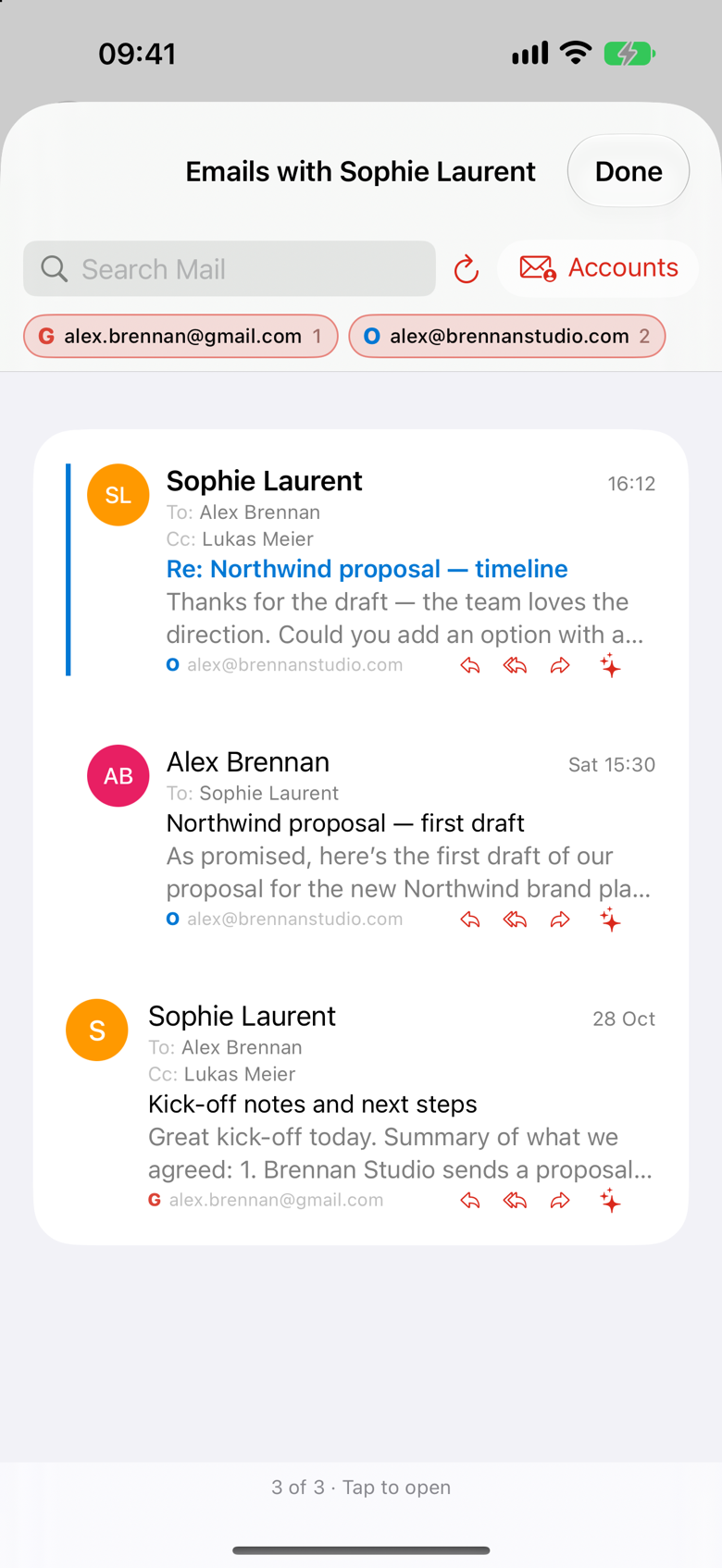
Every email with Sophie. None of the noise.
Open a person and see everything you exchanged, from Apple Mail (on Mac), Gmail or Outlook. Read only; nothing is copied or stored elsewhere.
Apple Mail (Mac) · Gmail · Outlook -
Read 40 emails in one tap.
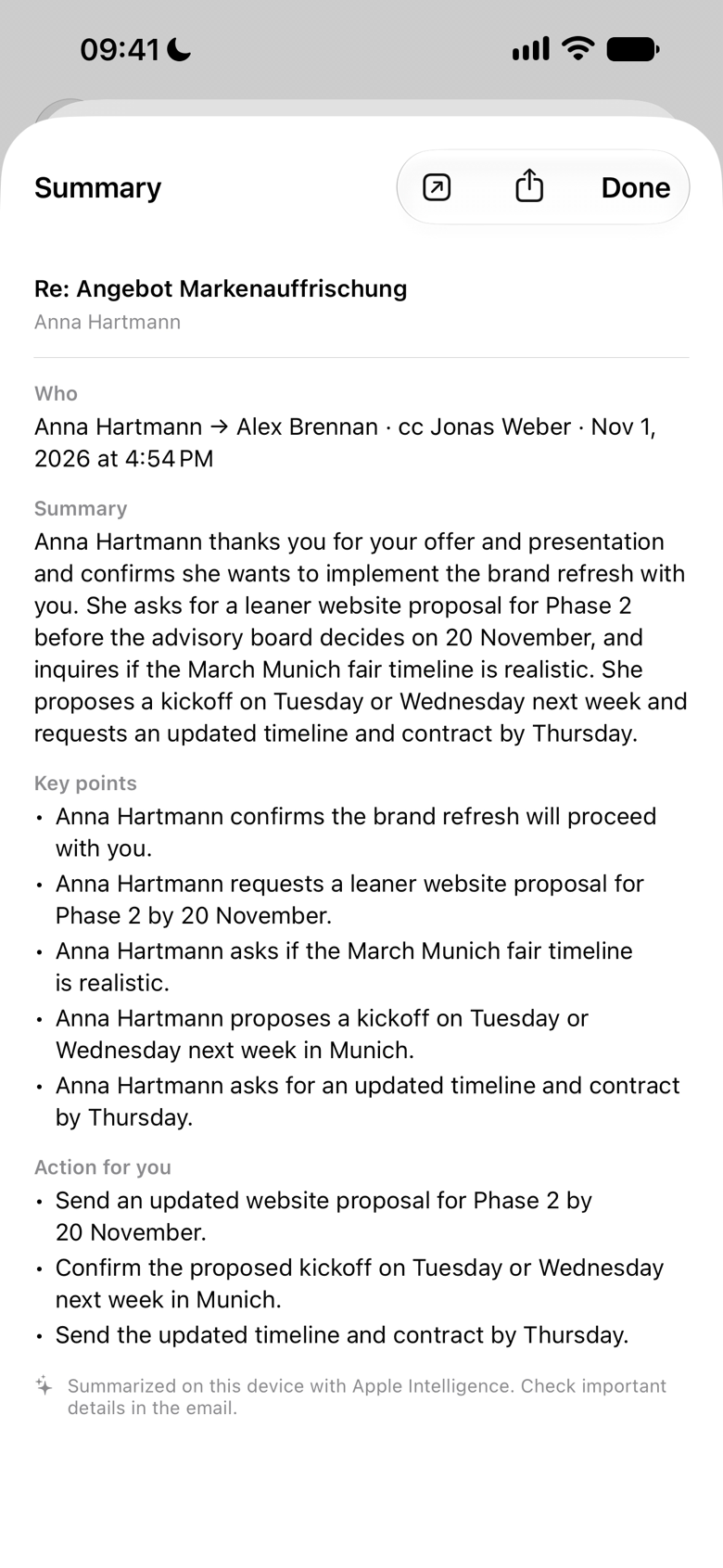
Summarize who wrote what, the key points and your to-dos. Let Find Emails About This dig up the whole case. On your device, with Apple Intelligence.
Summarise & analyse, on device -
Follow up the way you already do.
Reply opens a draft in your mail app (Apple Mail on Mac, Gmail or Outlook). Or message everyone in Messages, or one person on WhatsApp. You send. Zyt never does.
Mail, Messages or WhatsApp
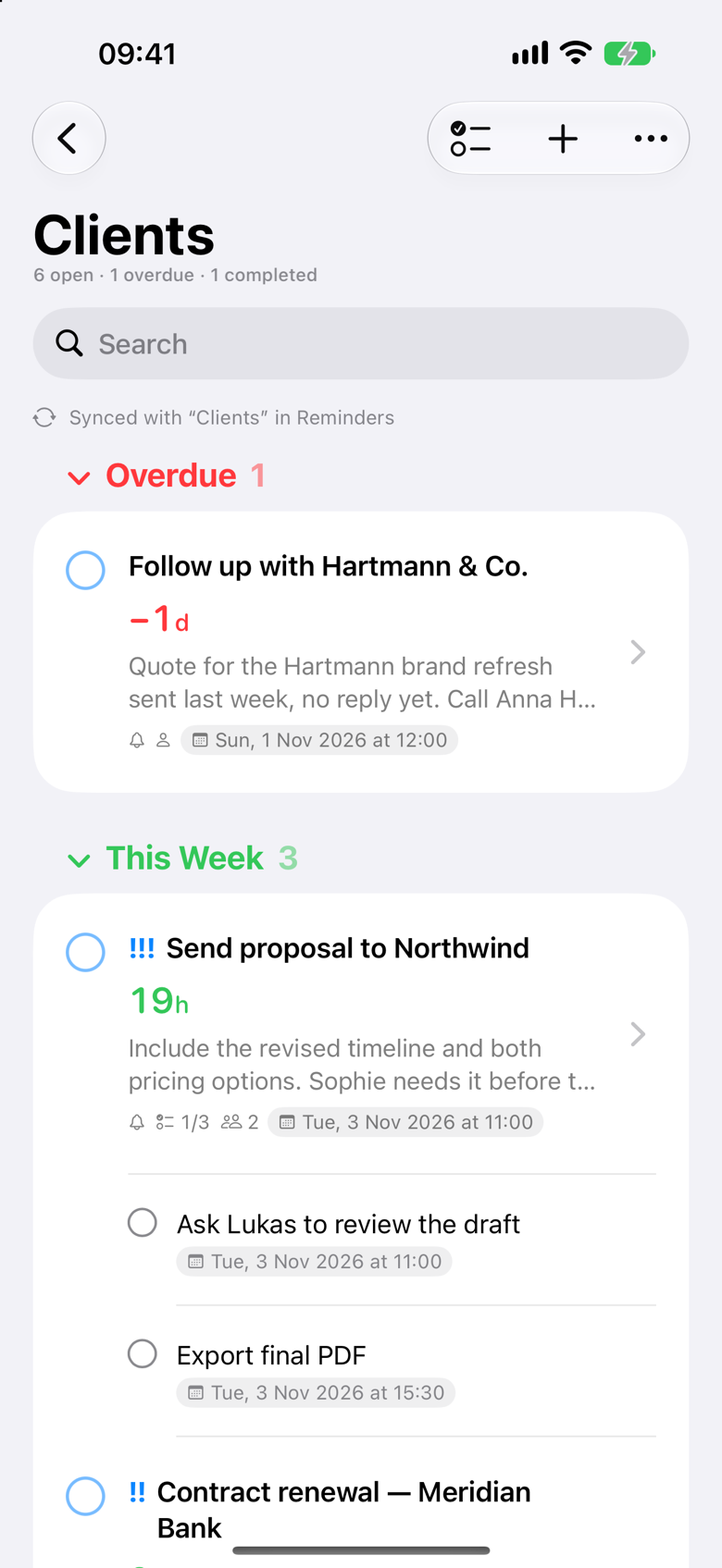
Time left, not just a date.
A date tells you when. A countdown tells you how much time you have. Zyt shows a live countdown next to every deadline and updates it every second.
The labels are compact and easy to scan: 10h, 2d, 1w1d. Zyt shows the largest unit first and never more than two. When a deadline passes, it keeps counting: −6h, −1d.
- Live countdowns, updated every second
- Compact labels:
42m,10h,2d,1w1d,−1d - Green this week, orange today, red overdue
- Choose your label style and precision in Settings
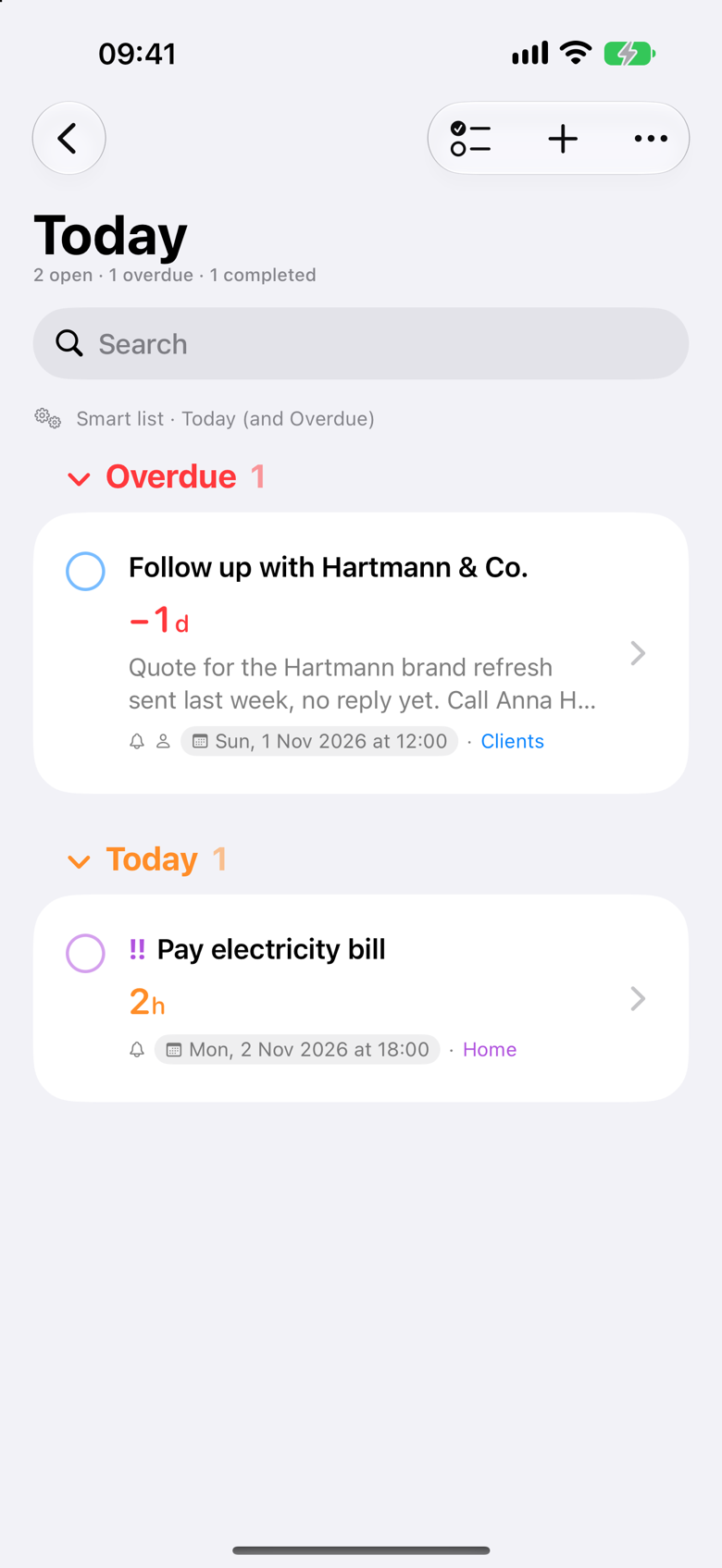
Organised the way you work.
Sync whole Reminders lists, or create your own Zyt lists and place one reminder in as many of them as you need. A client task can live in Clients and in Projects at the same time.
Smart lists gather what matters right now: Today, Overdue, Next 7 Days, Scheduled, Priority and All. Or set your own rules by date, priority and which Reminders lists to include.
Subtasks that steer the deadline
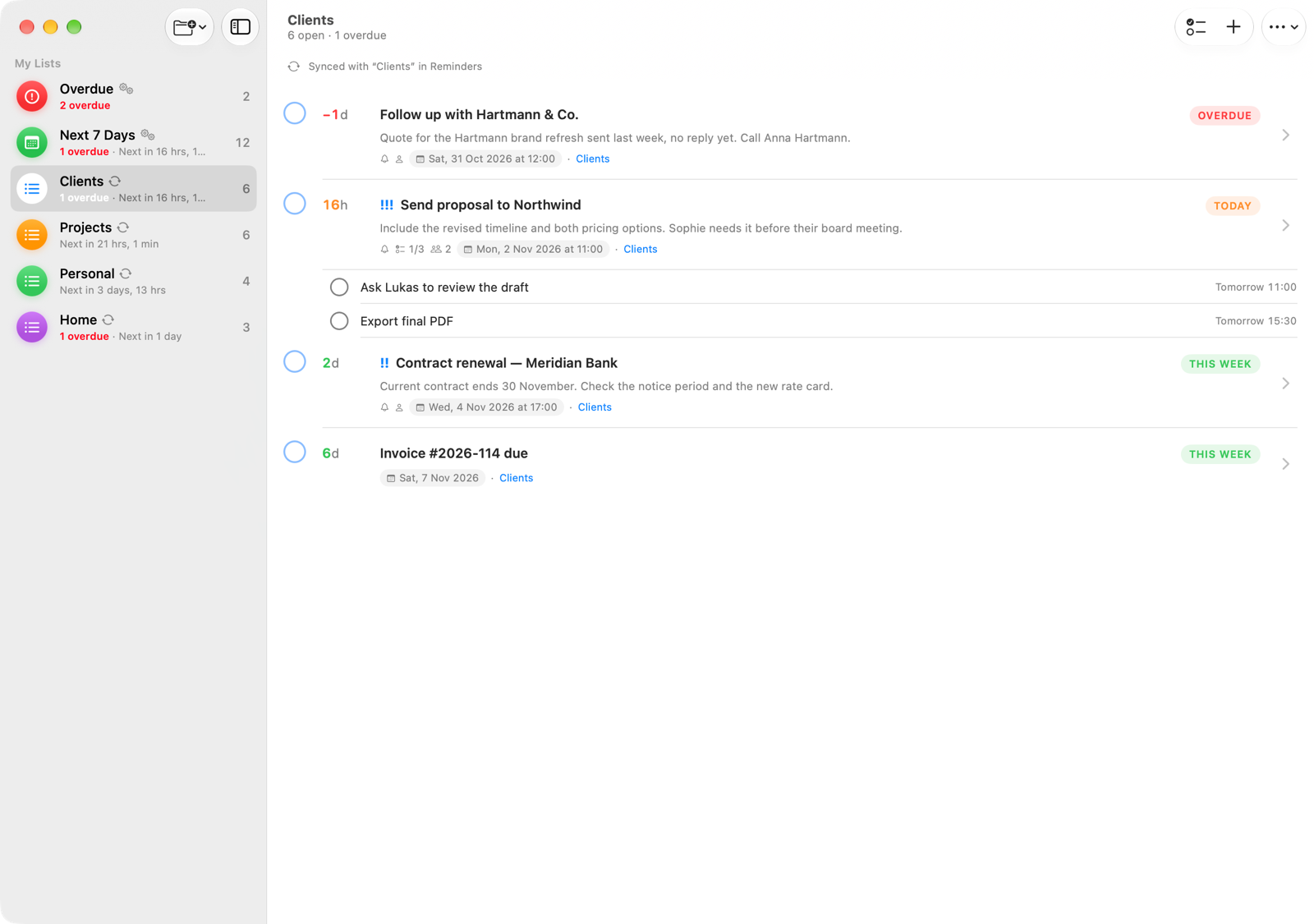
Each subtask is a real reminder with its own date and time. Zyt shows progress like 1/3, and the main task's deadline follows the next open subtask. Tick off a step and the countdown moves on: 10h becomes 15h.
- One reminder in as many lists as you like
- Smart lists, or your own rules
- Quick edit chips for date, time, alert, repeat, location and priority

Every task has a person behind it.
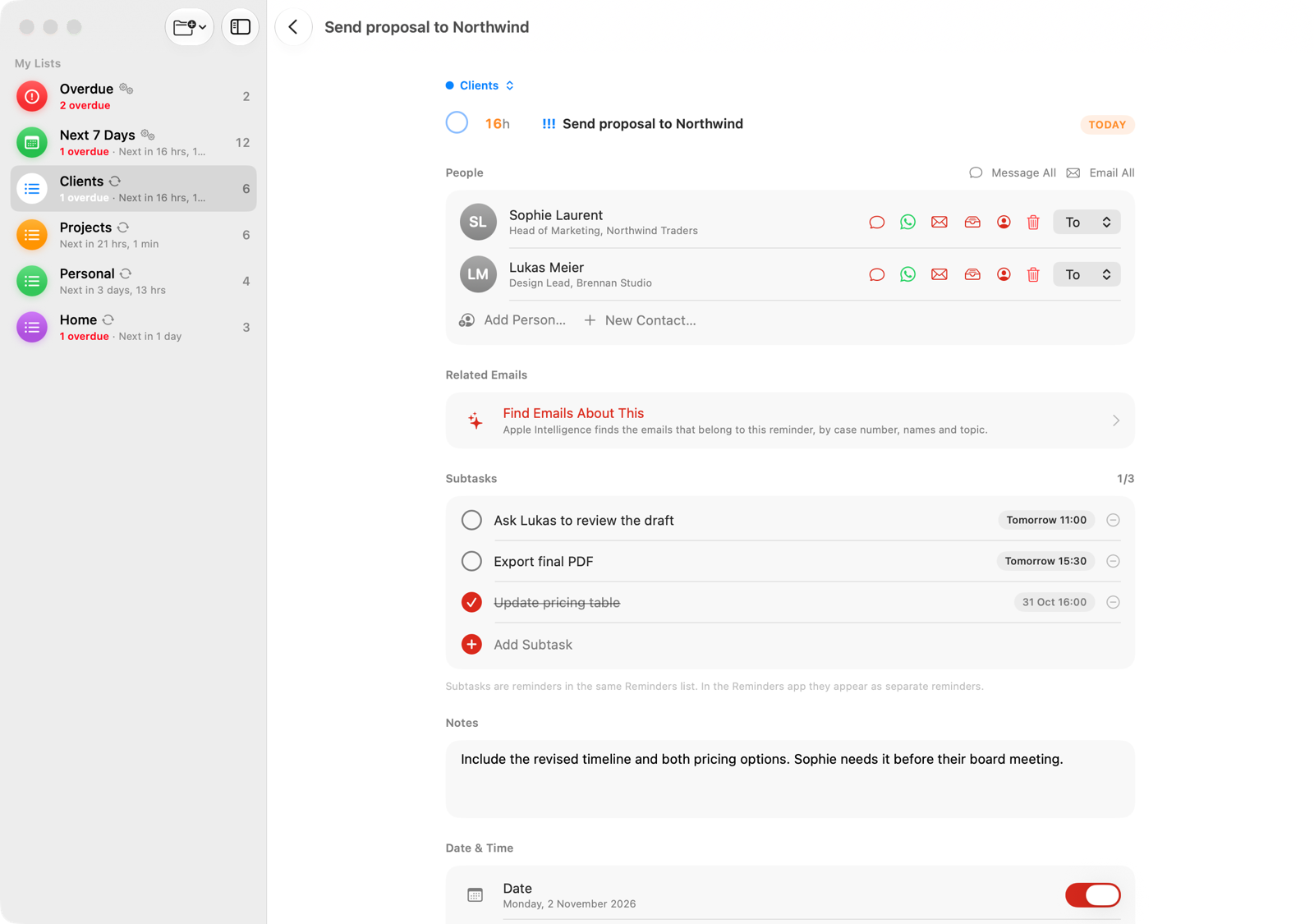
Link contacts from Apple Contacts to any reminder. From that moment, the person is one tap away: call, message, email, WhatsApp, see every email you exchanged, or open the contact card.
Need to reach everyone on a case? Message or email all linked people at once. When you update a phone number or address, the change goes straight into Contacts.
- Link people from Apple Contacts to any reminder
- One tap to call, message, email or WhatsApp*
- Message or email everyone linked at once
- Edits land straight in Apple Contacts
*WhatsApp appears when it is installed and the contact has a phone number.
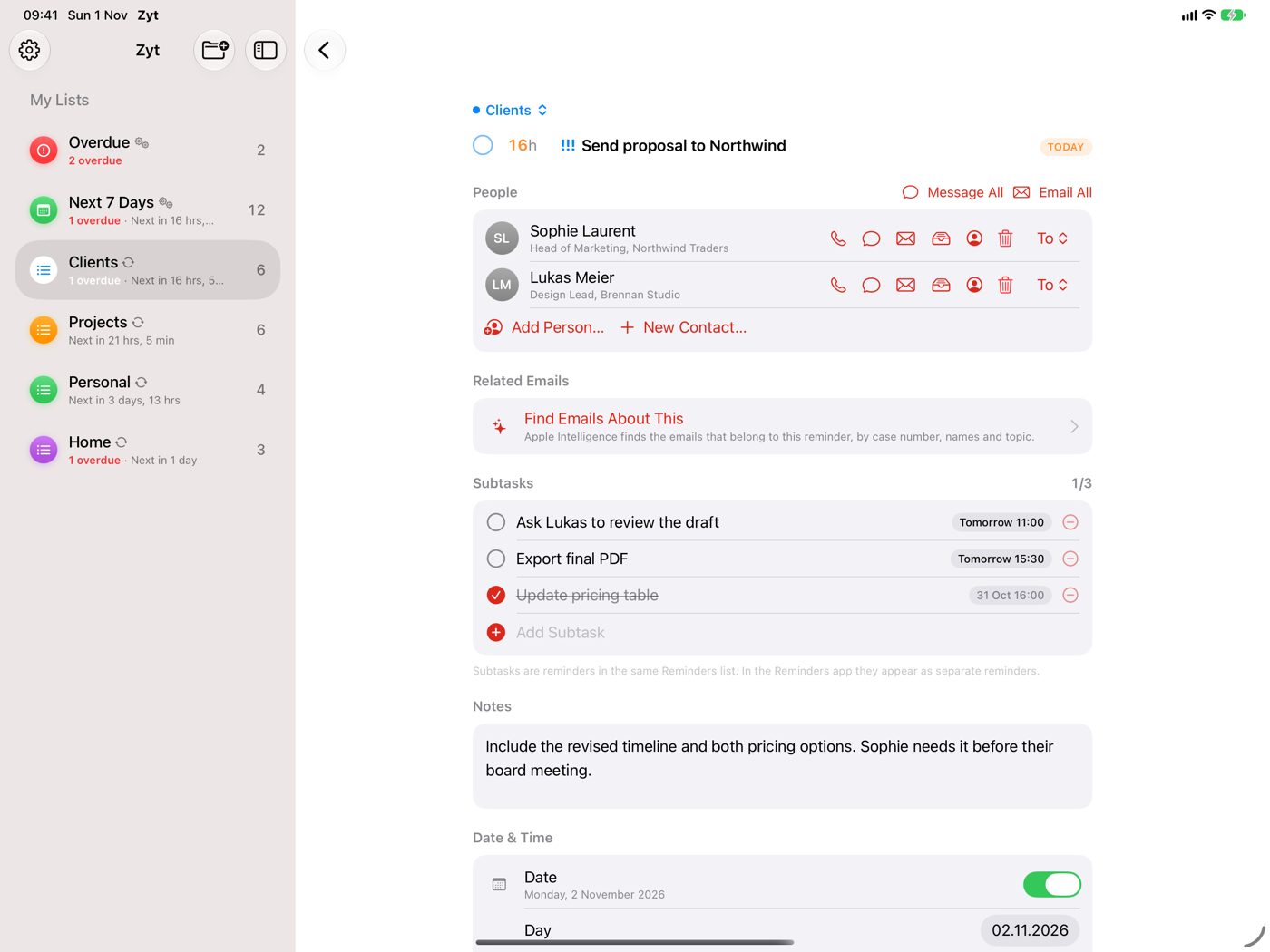
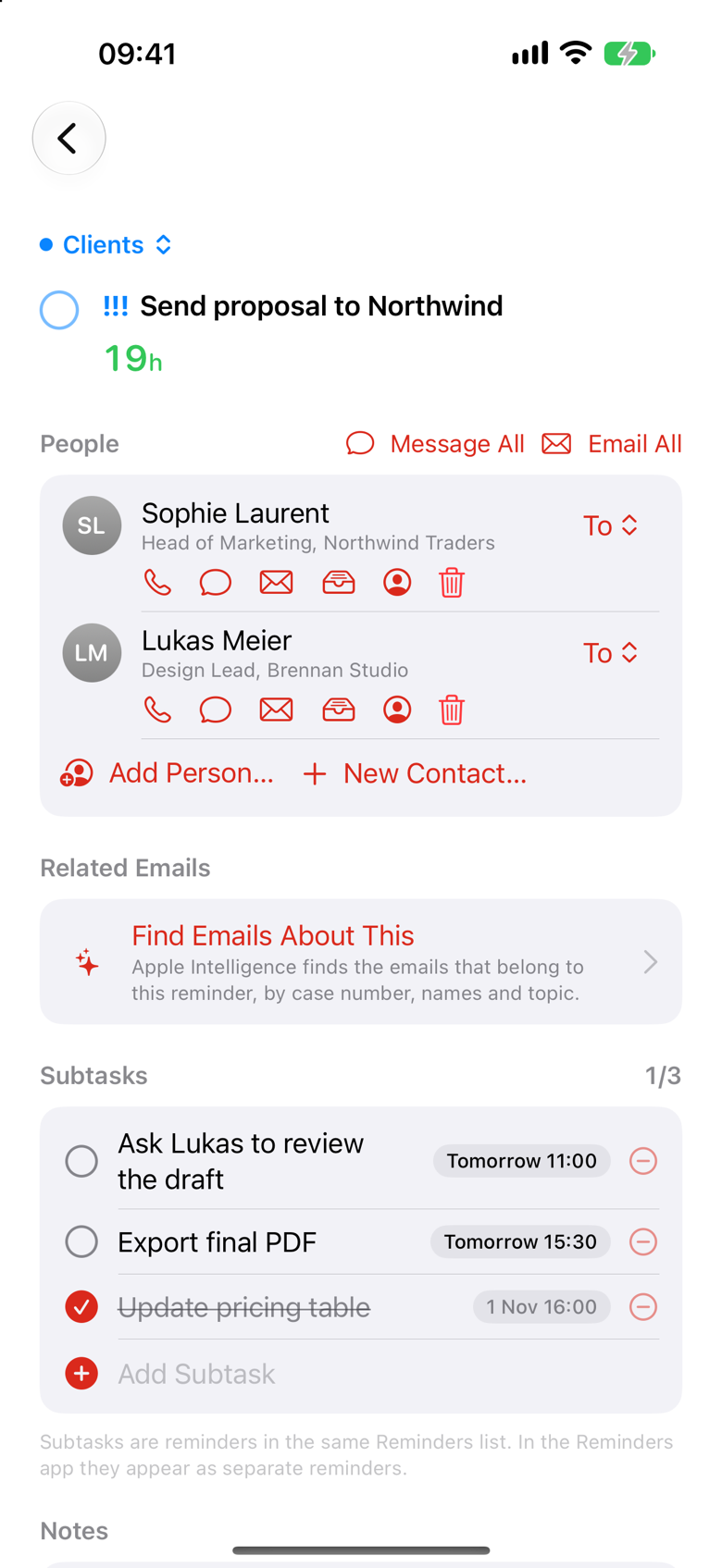
The whole conversation, next to the deadline.
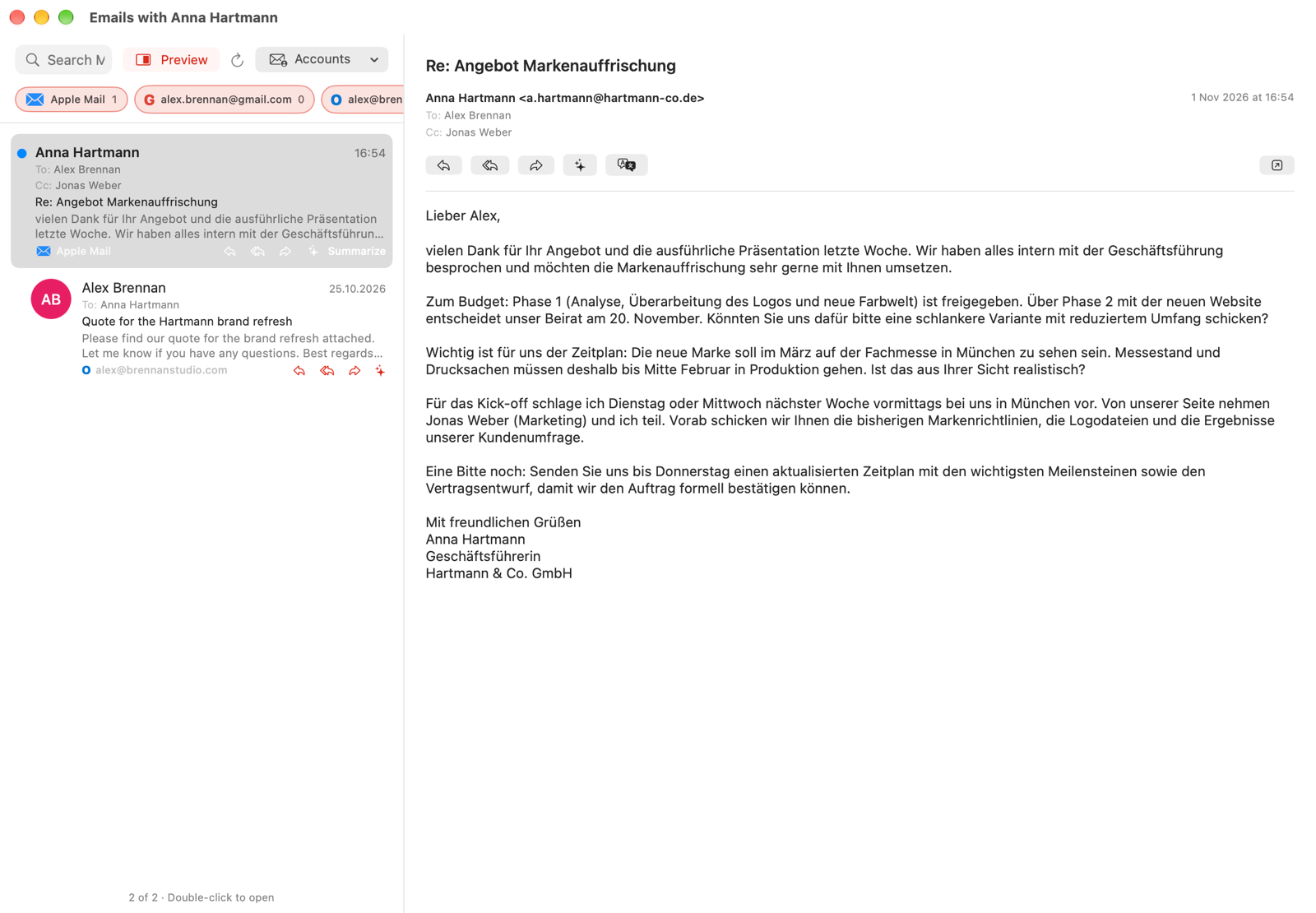
Open a person on a task and see all your mail with them. Zyt brings together Apple Mail (on Mac), Gmail and Outlook, with multiple accounts, and shows each message in the style of the app it came from.
Reply, Reply All or Forward opens a draft in your own mail app. Zyt only reads your mail. It never sends, moves or changes anything.
- Apple Mail (Mac), Gmail and Outlook, multiple accounts
- From, To, Cc, read status, preview lines and search
- Separate, resizable mail window on Mac
- Read-only: Zyt never sends or changes mail
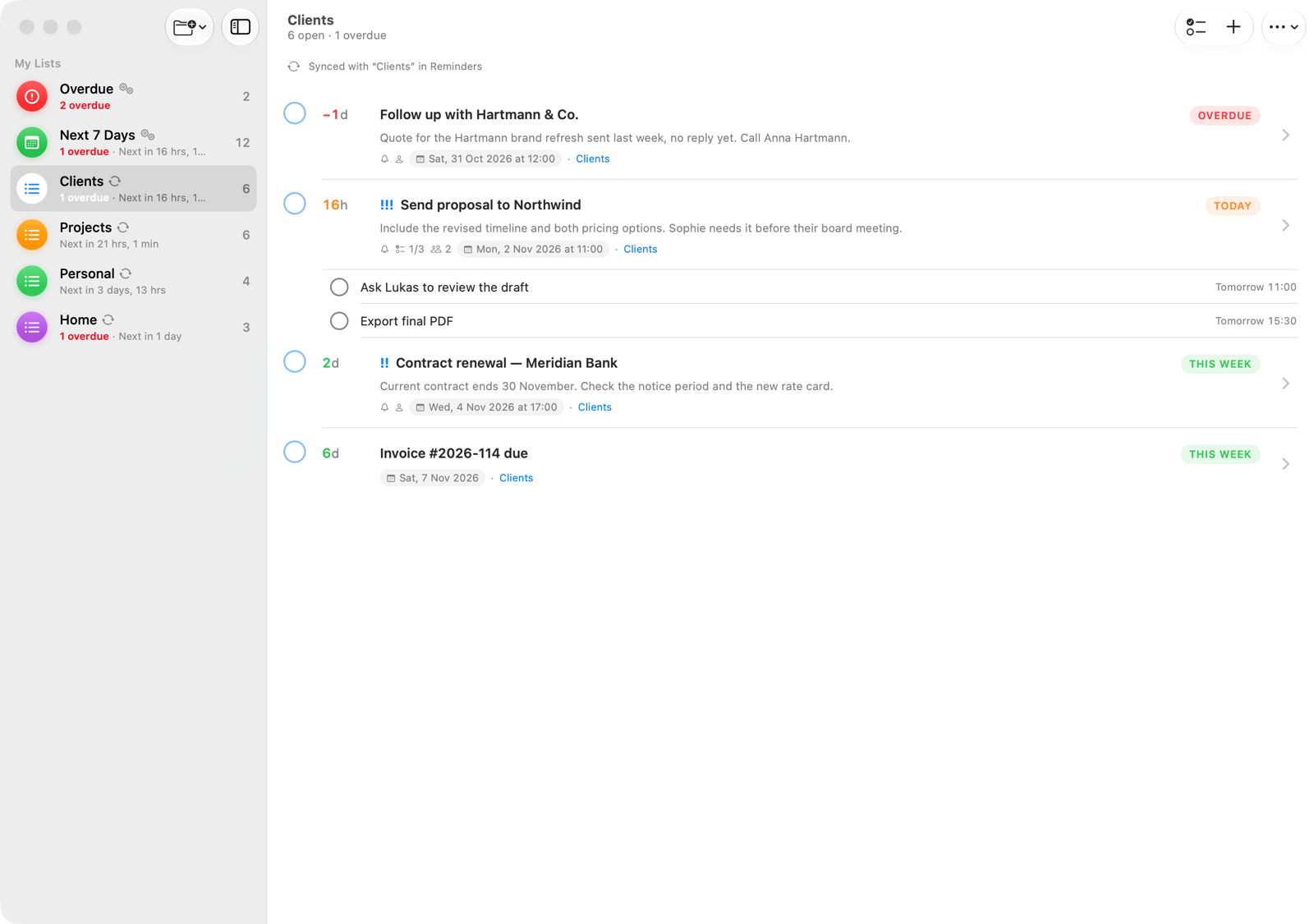
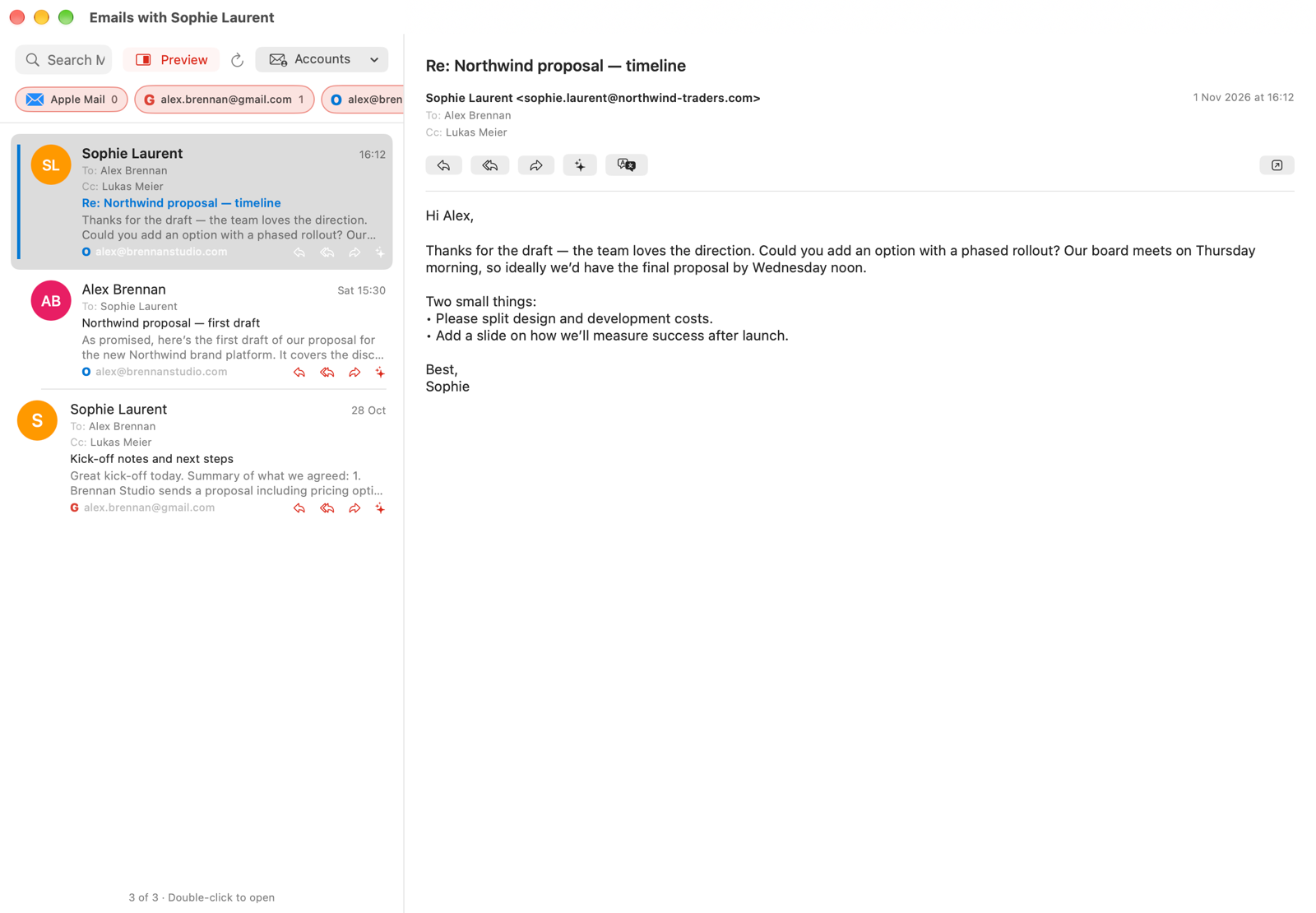
Understands your mail. Respects your privacy.
Your mail stays private. Zyt uses the on-device model of Apple Intelligence: summaries, translations and Find Emails About This are computed on your own iPhone, iPad or Mac. Nothing is sent to a server to be analysed, not to Apple and not to Zyt, so confidential mail from clients and colleagues stays where it belongs. It even works without an internet connection.
Find Emails About This
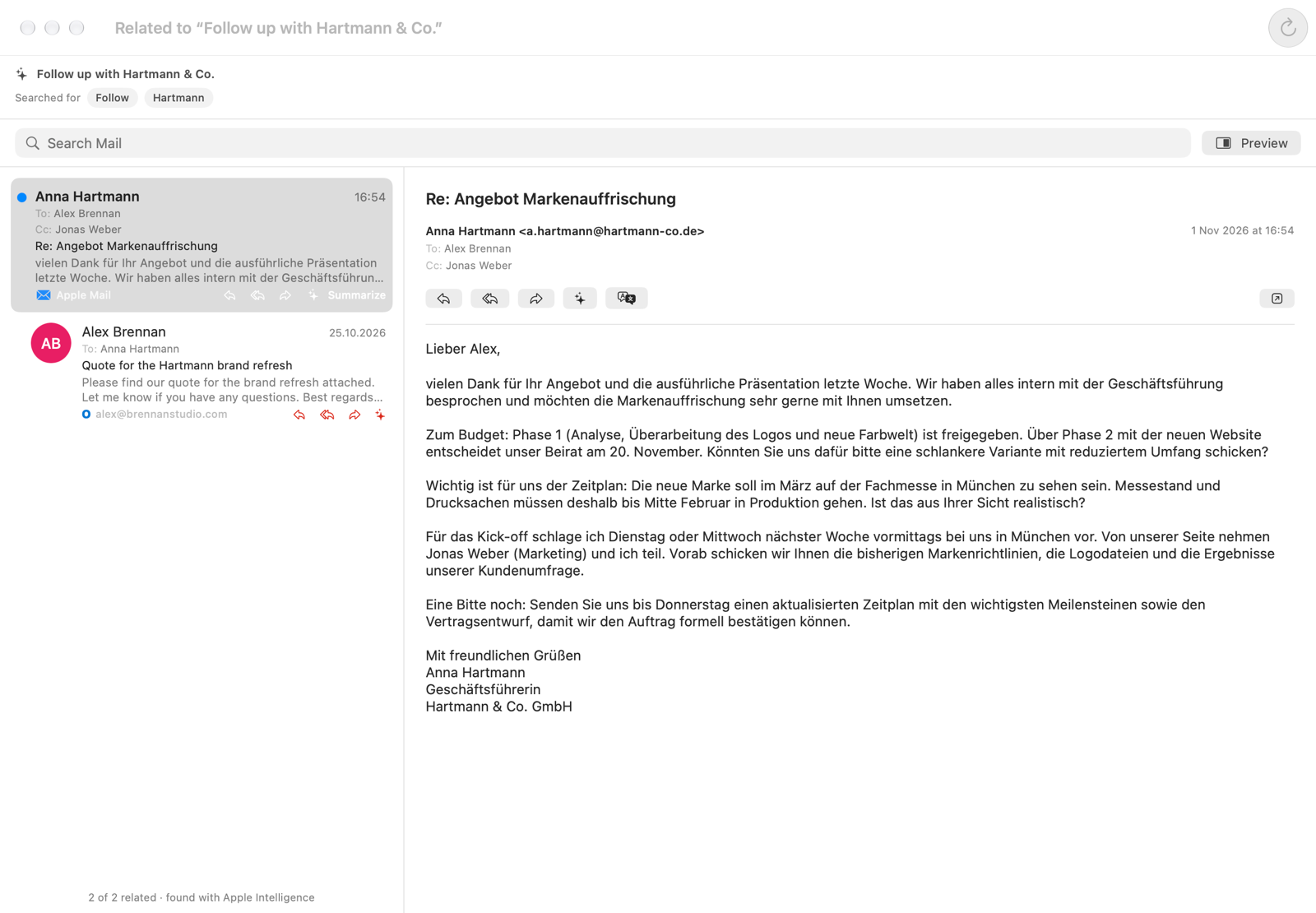
You know the feeling: the to-do says “Follow up with Hartmann”, but to actually do it you need the whole story, in a form you can take in quickly. What did they ask, what did you promise, who else is involved? One tap brings it back. Zyt reads the reminder, works out what to look for (case numbers, project names, people, file codes like [D103411]) and shows only the mail that belongs to it. A mail in German? Translate it. A long thread? Get a summary of what was said. Then follow up right away. No more digging through 4,000 emails.
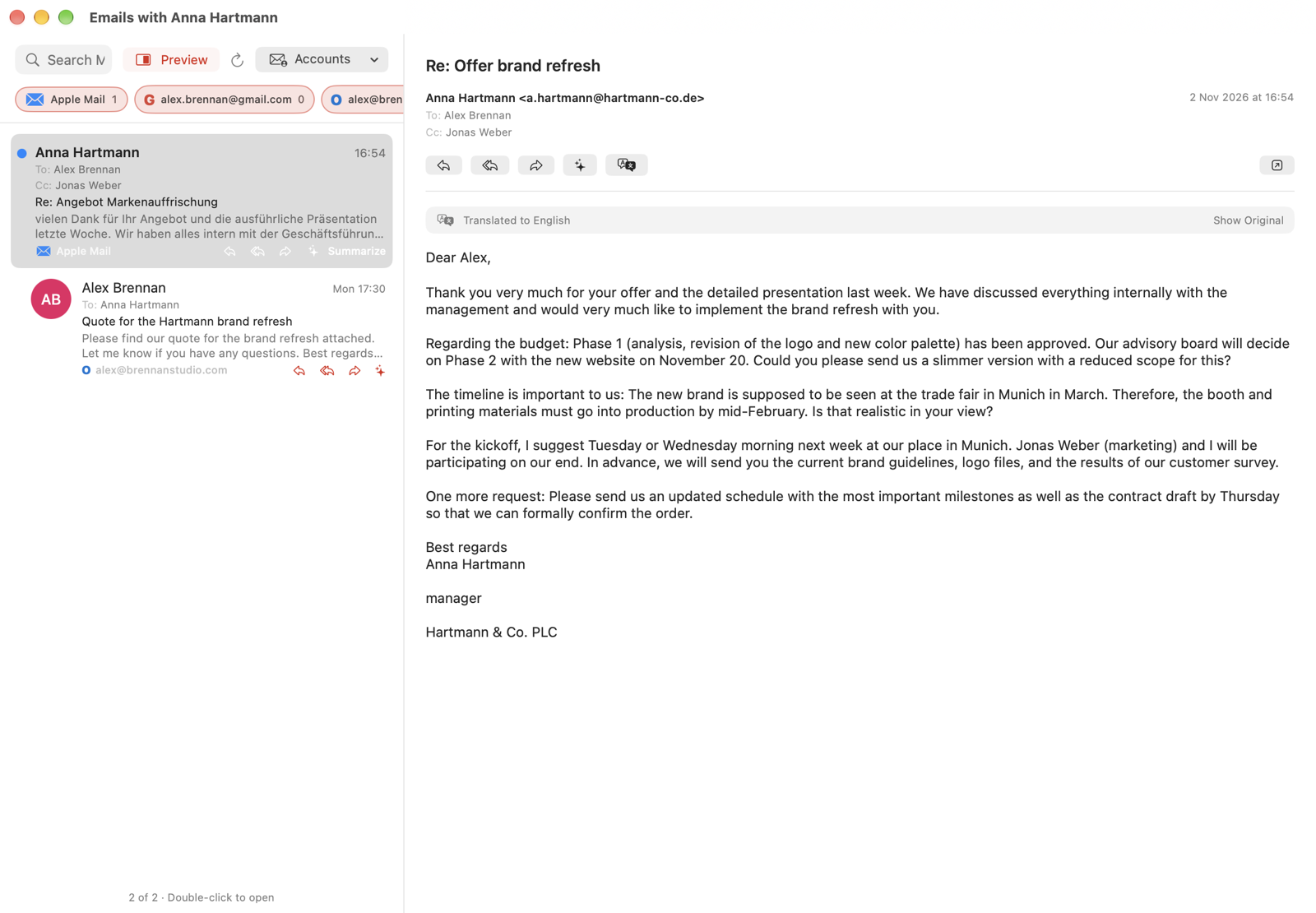
Translate
A German email? One tap and you read it in your own language, right inside Zyt. No copying, no pasting into a translator, no switching apps. Apple translates on your device, so the mail never leaves it. Show Original brings back the original.
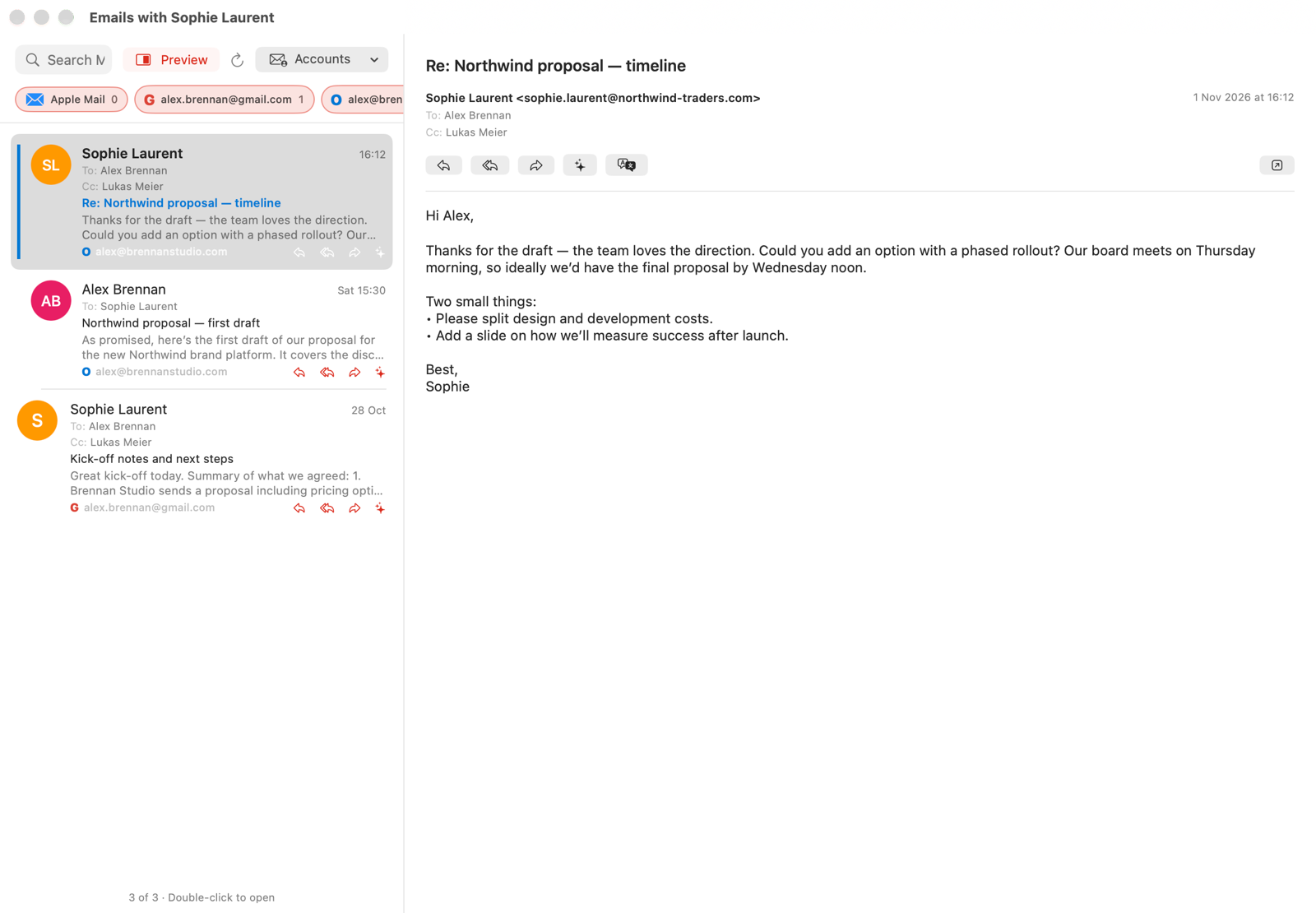
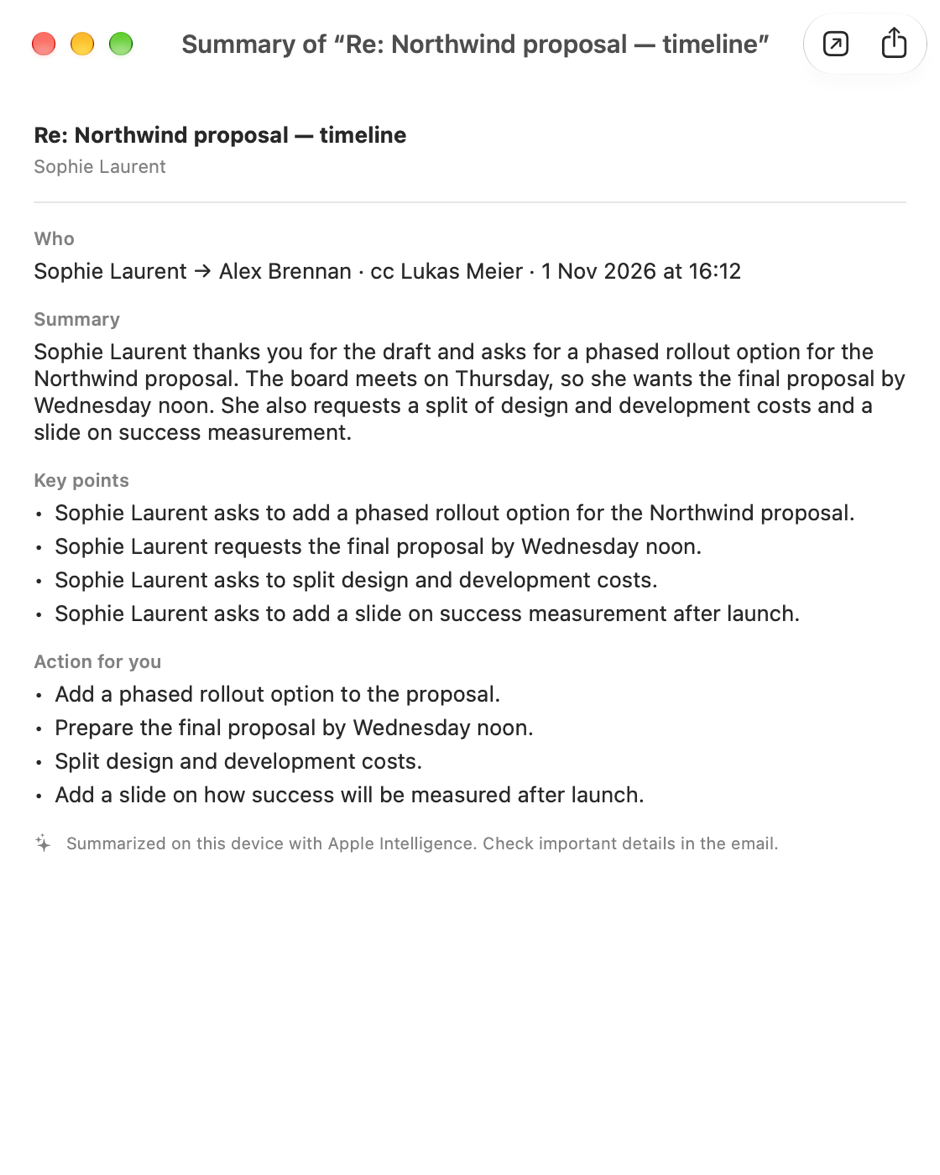
Summarize
A long thread, five minutes before your call? One tap and you know who wrote what to whom, the gist in a few lines, the key points and exactly what you need to do. In the language you are reading it in. Apple Intelligence does it on your device; nothing goes to a server.
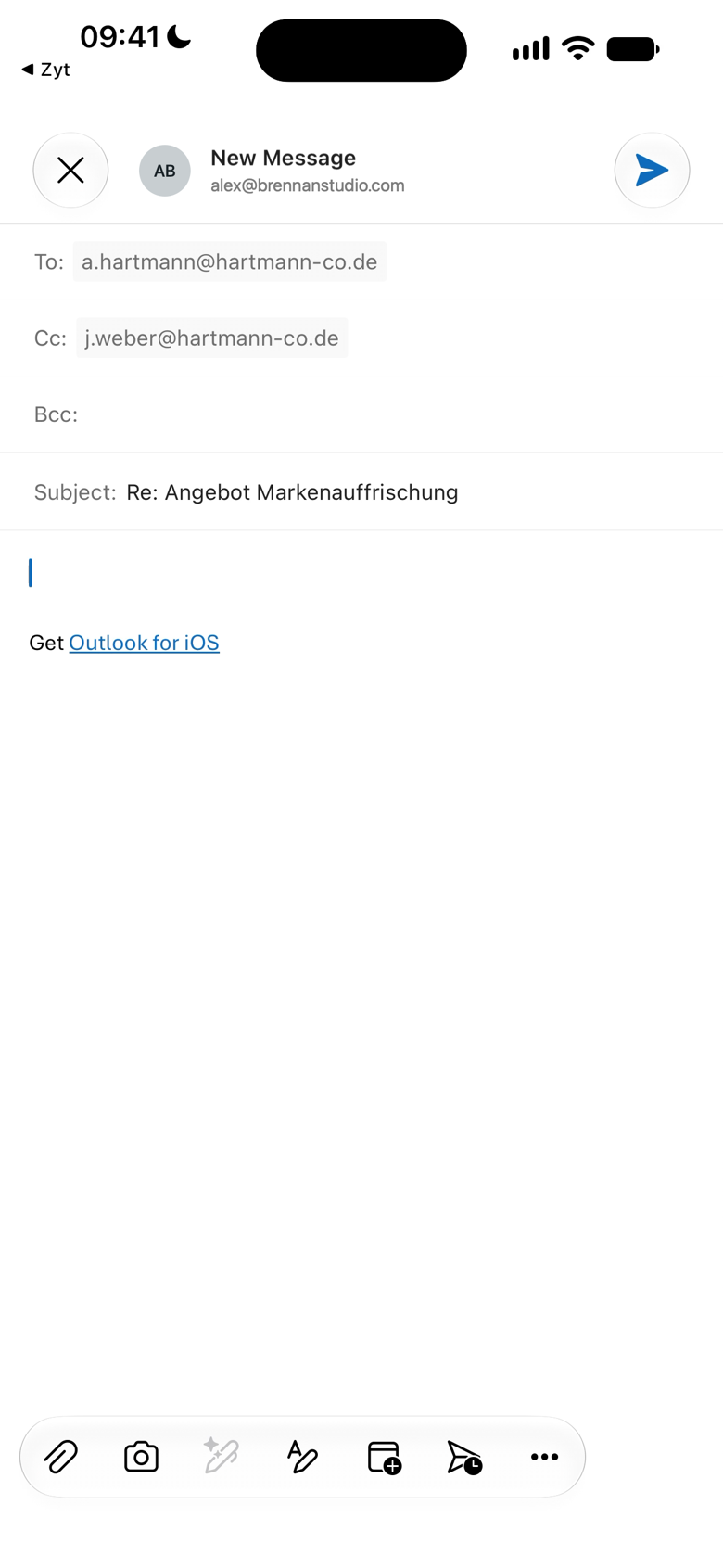
Reply in your own mail app
Ready to follow up? Reply, Reply All or Forward opens a draft in the mail app you already use, with every recipient filled in and the original quoted. You write, you send, from your own account. Zyt never sends a thing.
Requires a device that supports Apple Intelligence.
Native on iPhone, iPad and Mac.
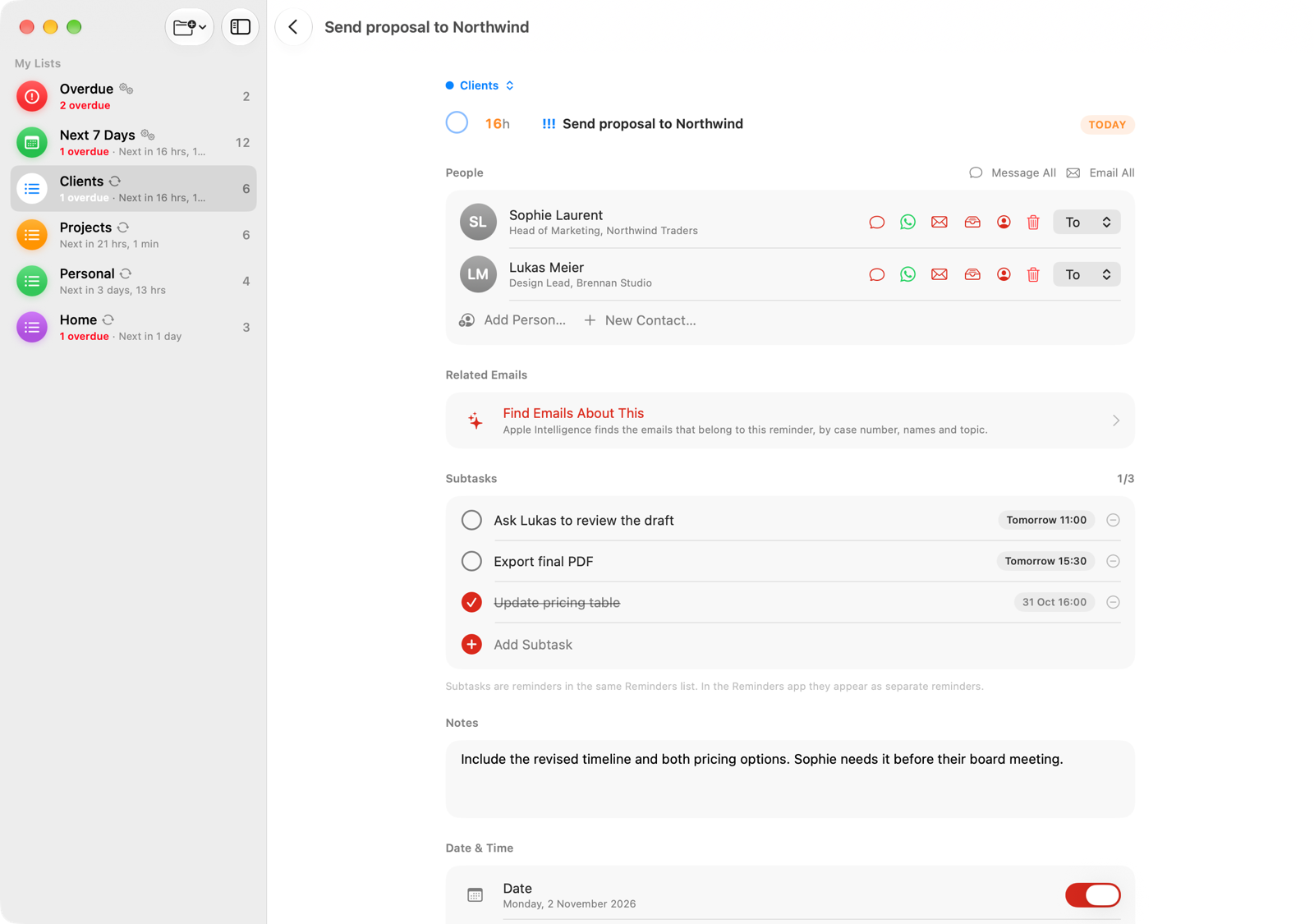
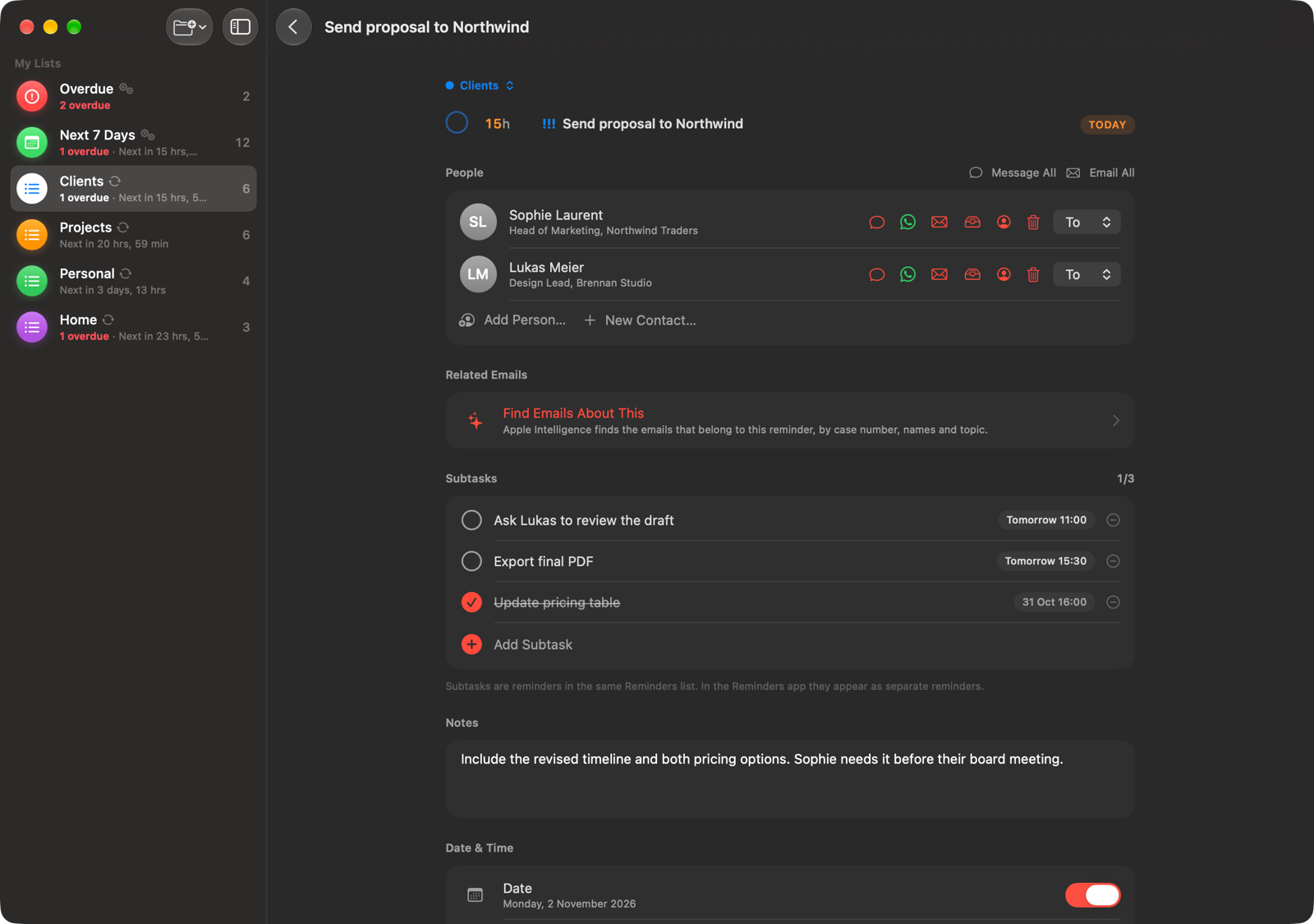
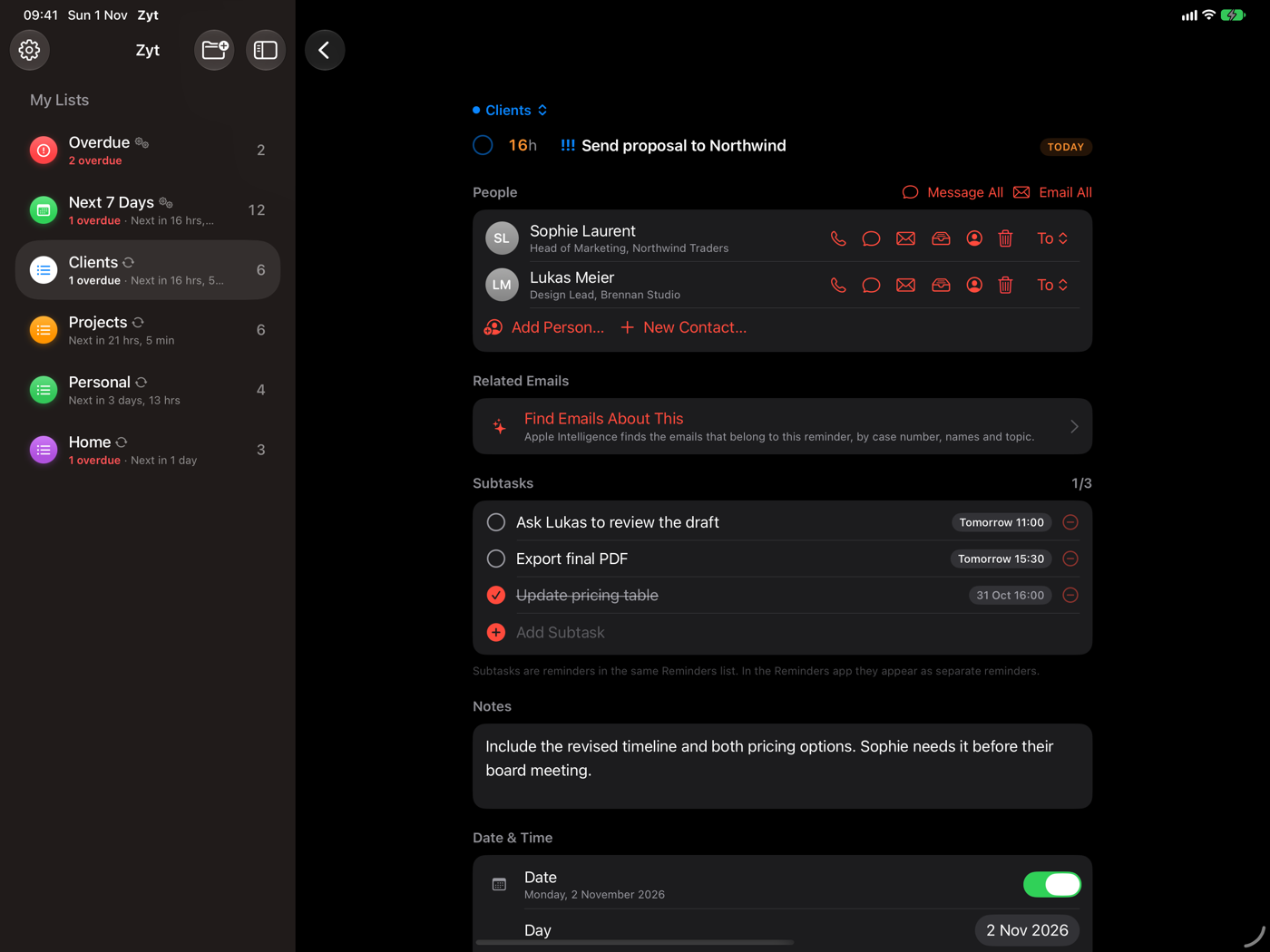
Zyt is built in SwiftUI for each device. On iPhone, it's the countdown in your pocket. On iPad, list and detail sit side by side. On Mac, lists and mail have their own windows, so you can keep a case open while you work.
Because everything lives in Apple Reminders, your tasks are the same on every device through iCloud.
Light and dark, on every device.
Zyt follows your system appearance.
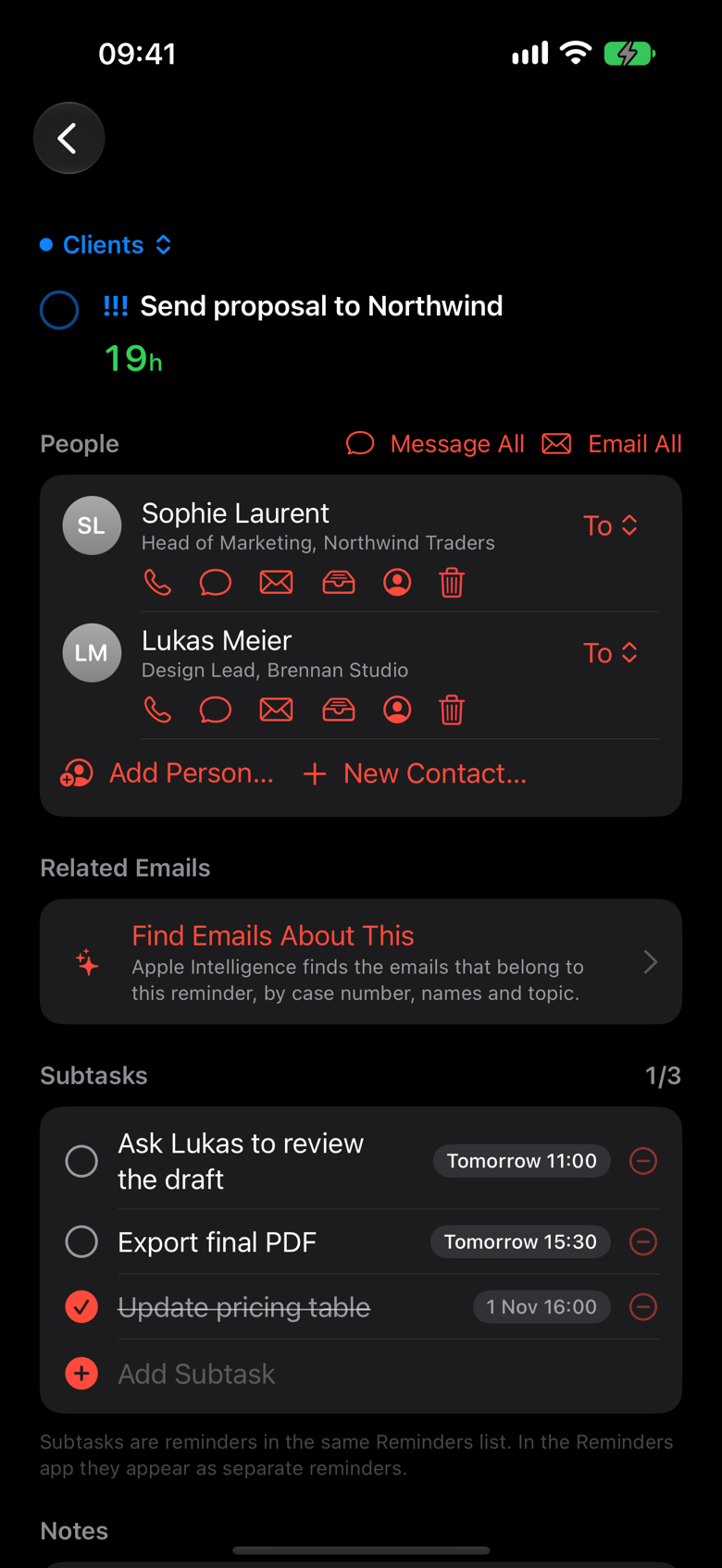
Closed, a phone. Open, a workspace.
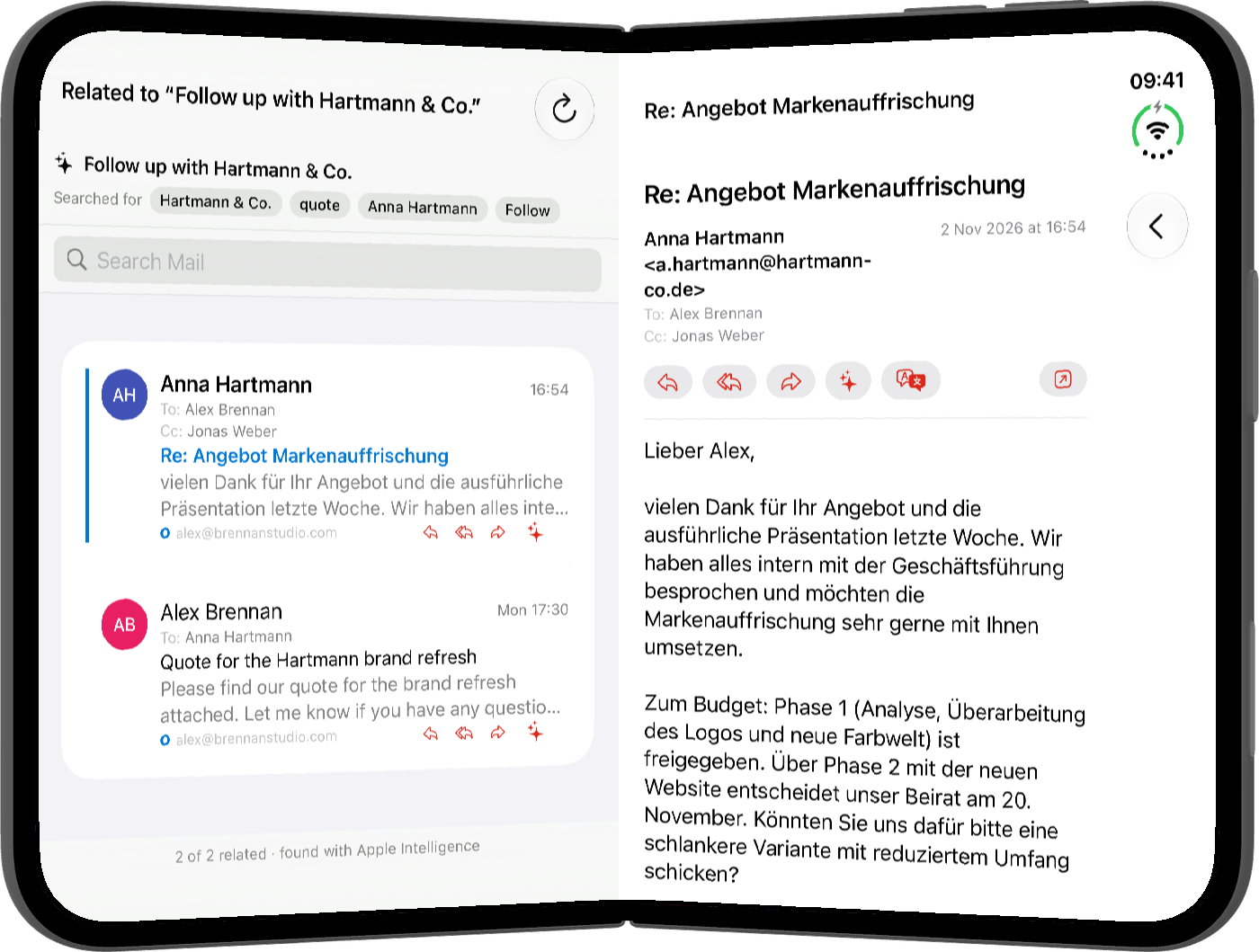
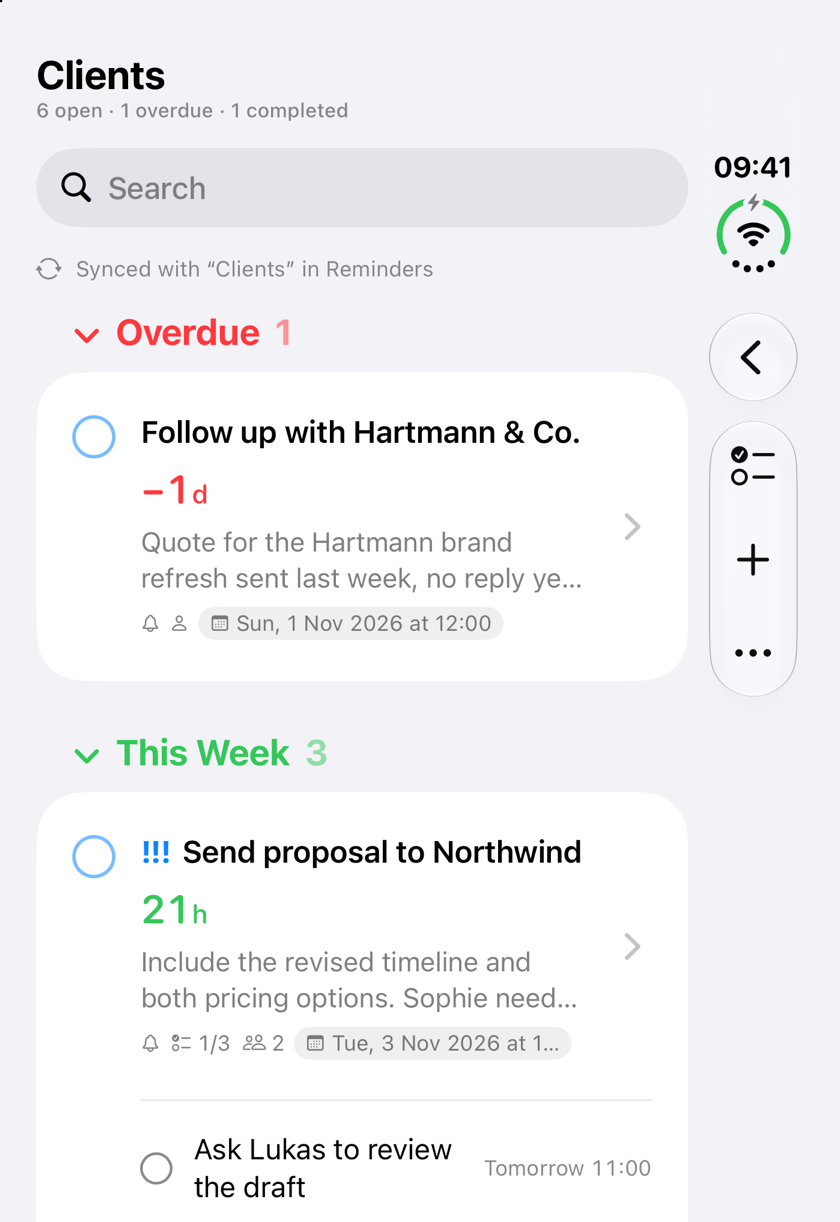
Zyt follows the fold. Closed, iPhone Duo gives you the countdown list in one hand. Open it, and lists and detail sit side by side, the way they do on iPad.
Nothing to set up. The same reminders, the same people and mail, laid out for the screen you are holding.
- Closed: the iPhone layout with live countdowns
- Open: sidebar, list and detail next to each other
- Switches as you fold and unfold

A calm start, a timely nudge.
Choose a time for your daily summary and see what's due before the day begins. Alerts before deadlines make sure nothing slips by.
Nothing new to trust. Nothing to migrate.
Zyt works on top of Apple Reminders. Your lists sync both ways. If you stop using Zyt tomorrow, your reminders are exactly where they have always been.
- Two-way sync with your existing Reminders lists
- Changes land in Reminders and sync via iCloud
- Your deadlines also appear in Apple Calendar, through Reminders
- No Zyt account, no separate task database
Your data stays where it already is.
Zyt doesn't ask you to hand your work to a new service. It uses what Apple already keeps for you.
- Tasks stay in Apple Reminders and iCloud
- People stay in Apple Contacts
- Mail is only read, never sent or changed
- AI runs on your device
Designed in Switzerland.
Zyt is made in the Valais, in the tradition of Swiss graphic design: a strict grid, one typeface, one red, and nothing on the screen that does not help you decide what to do next.
- One grid
- One red
- Nothing superfluous
For people who live by deadlines.
Lawyers with cases. Consultants with clients. Agencies and freelancers with projects. Managers with teams. If your day is made of deadlines and follow-ups, Zyt shows you both in one place.
Try it free for two weeks.
Both plans start with a 14-day free trial. One subscription covers iPhone, iPad and Mac.
Monthly
Billed monthly
14-day free trial
After the 14-day free trial, renews automatically at €5.00 per month until cancelled.
Start free trial- All features on iPhone, iPad and Mac
- Live countdowns, people, mail and Apple Intelligence
- Cancel anytime in your Apple Account settings
Yearly
Billed annually (about €4 a month)
14-day free trial
After the 14-day free trial, renews automatically at €49.99 per year until cancelled.
Start free trial- All features on iPhone, iPad and Mac
- Live countdowns, people, mail and Apple Intelligence
- Cancel anytime in your Apple Account settings
Prices in euros; the App Store shows the price for your country. Payment is charged to your Apple Account when the free trial ends. The subscription renews automatically at the price shown unless auto-renewal is turned off at least 24 hours before the end of the trial or the current period. You can manage or cancel your subscription in your Apple Account settings. Any unused part of a free trial is forfeited when you purchase a subscription. The free trial is available once per Apple Account.